GPS Flip is preparing for launch. The converter and subscriptions are currently in private testing.
GPS waypoint converter
Convert and clean up your waypoints right in your browser.
Convert. Clean. Share.
Find repeated spots, give them names you’ll recognize, and download just the waypoints you need. Use GPS Flip on a phone, tablet, Windows PC, or Mac. There’s no app to install.
Import Choose a waypoint file from your device.
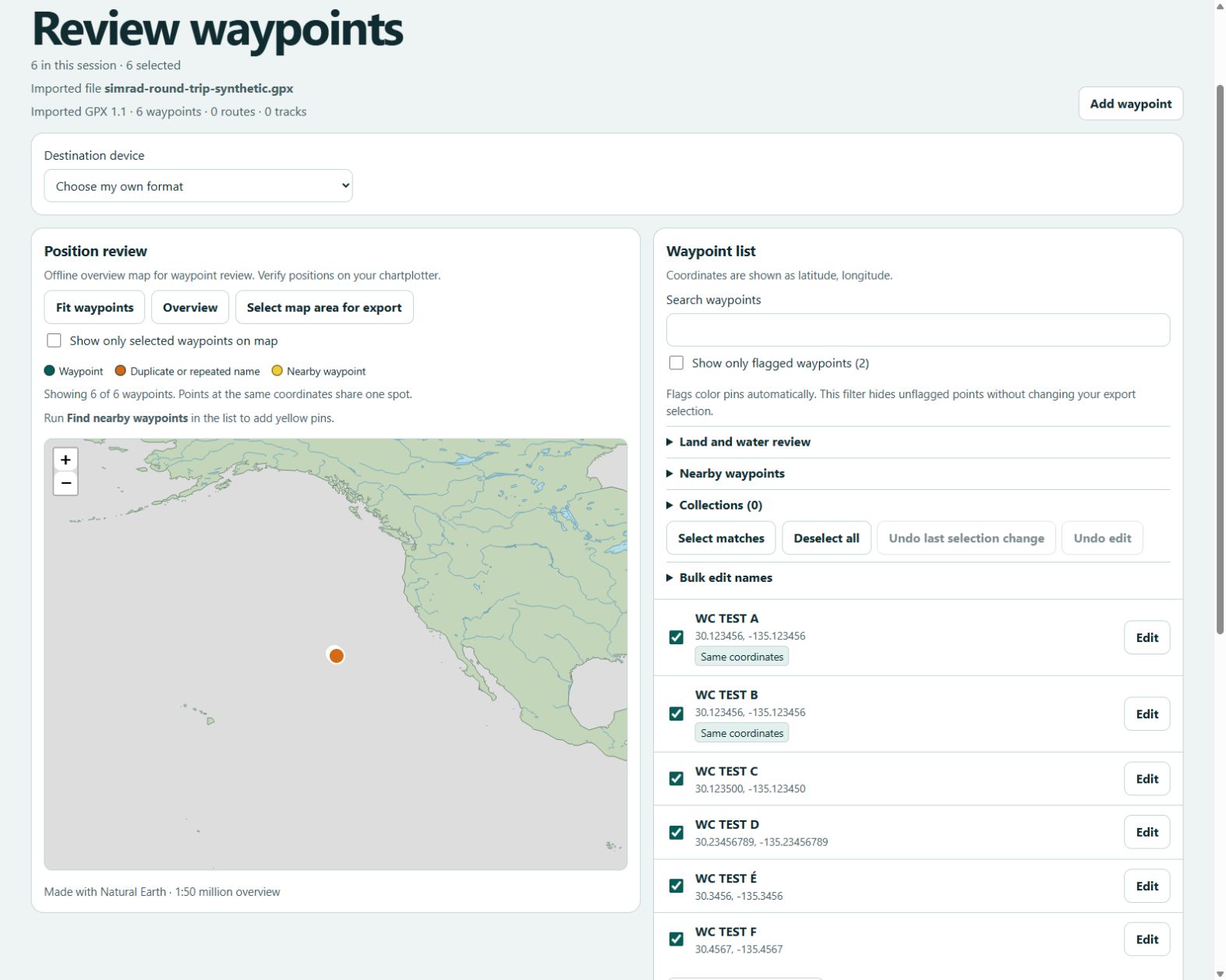
Review See your spots on a map and in a searchable list.
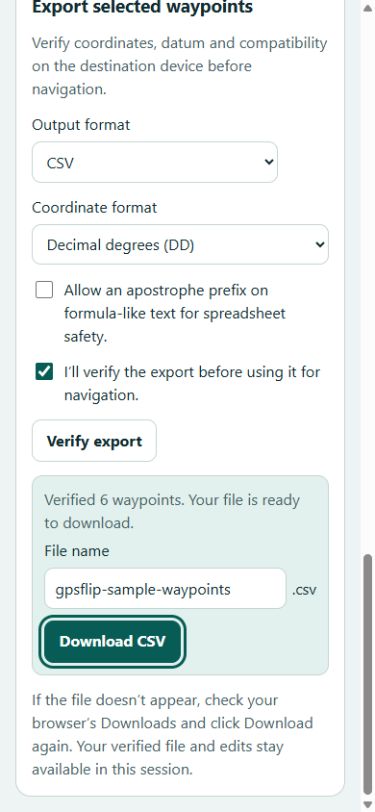
Export Download your full list in a supported format.
Find problems for free. Fix them with Premium.
Free · Convert and review
Free, no account needed
Open a supported file and see your waypoints on a map or in a list.
Check for shared coordinates, repeated names, nearby spots, and potential land or water issues.
Convert and download the full waypoint list in a supported format.
Premium · Edit and organize
$24.99 per year
Rename, move, or add waypoints.
Apply name changes in bulk and group spots into collections.
Export just the waypoints you select or the spots in a map area.
Map and list review are free. Editing, collections, and selecting a subset to export are Premium.Review or change the filename before downloading on your phone.